Process and application design for Amazon’s fulfillment network to optimize warehouse efficiency and improve the safety, productivity, and engagement of more than 600,000 Amazon associates.
My work at Amazon intersected physical and virtual worlds, reaching beyond what is shown on screens to include the physical environment, building layout, equipment, and processes that impact how all products are processed through Amazon’s fulfillment centers (FCs). I focused on inbound processes and the work of associates who unload, receive, sort, and stow inventory.
Trailer Prioritization
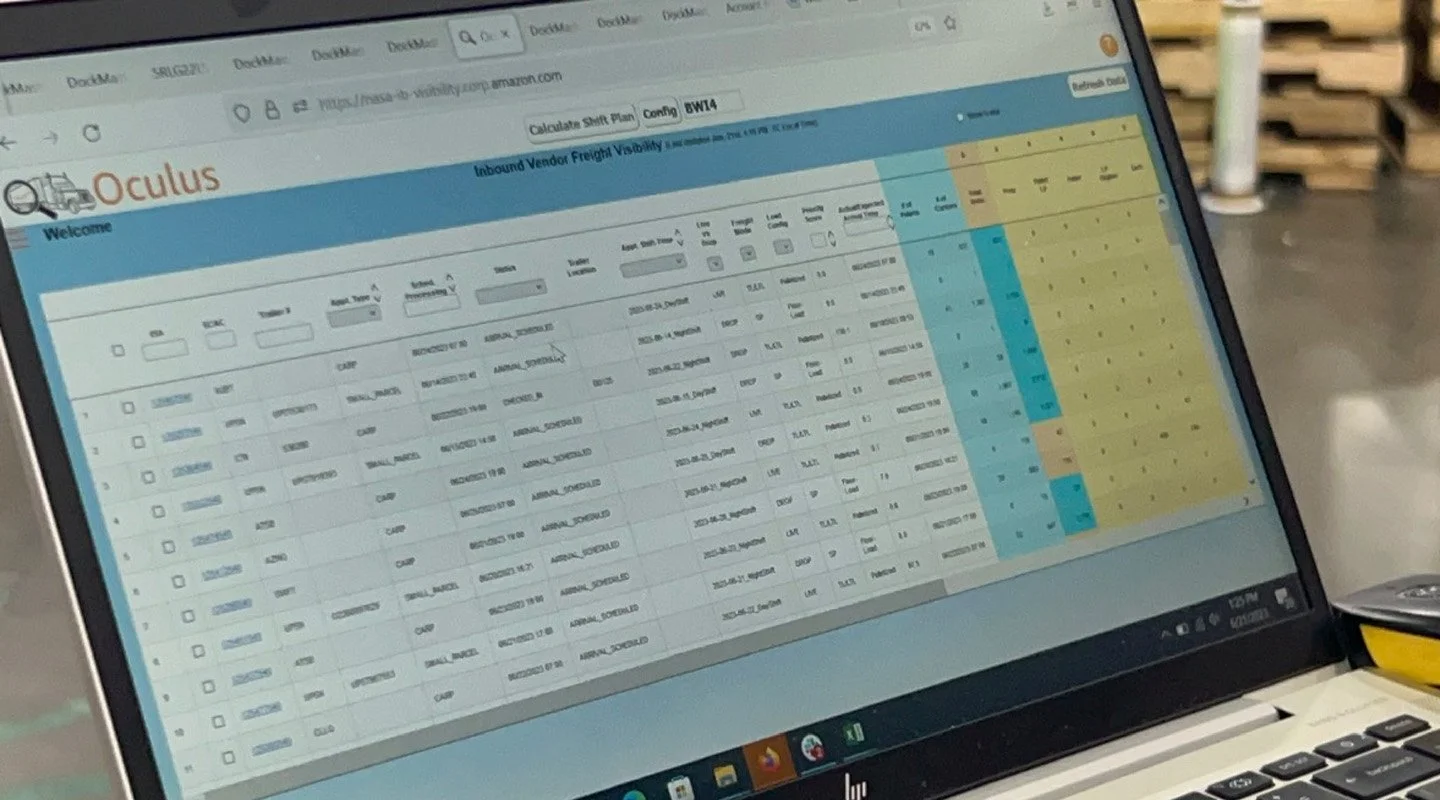
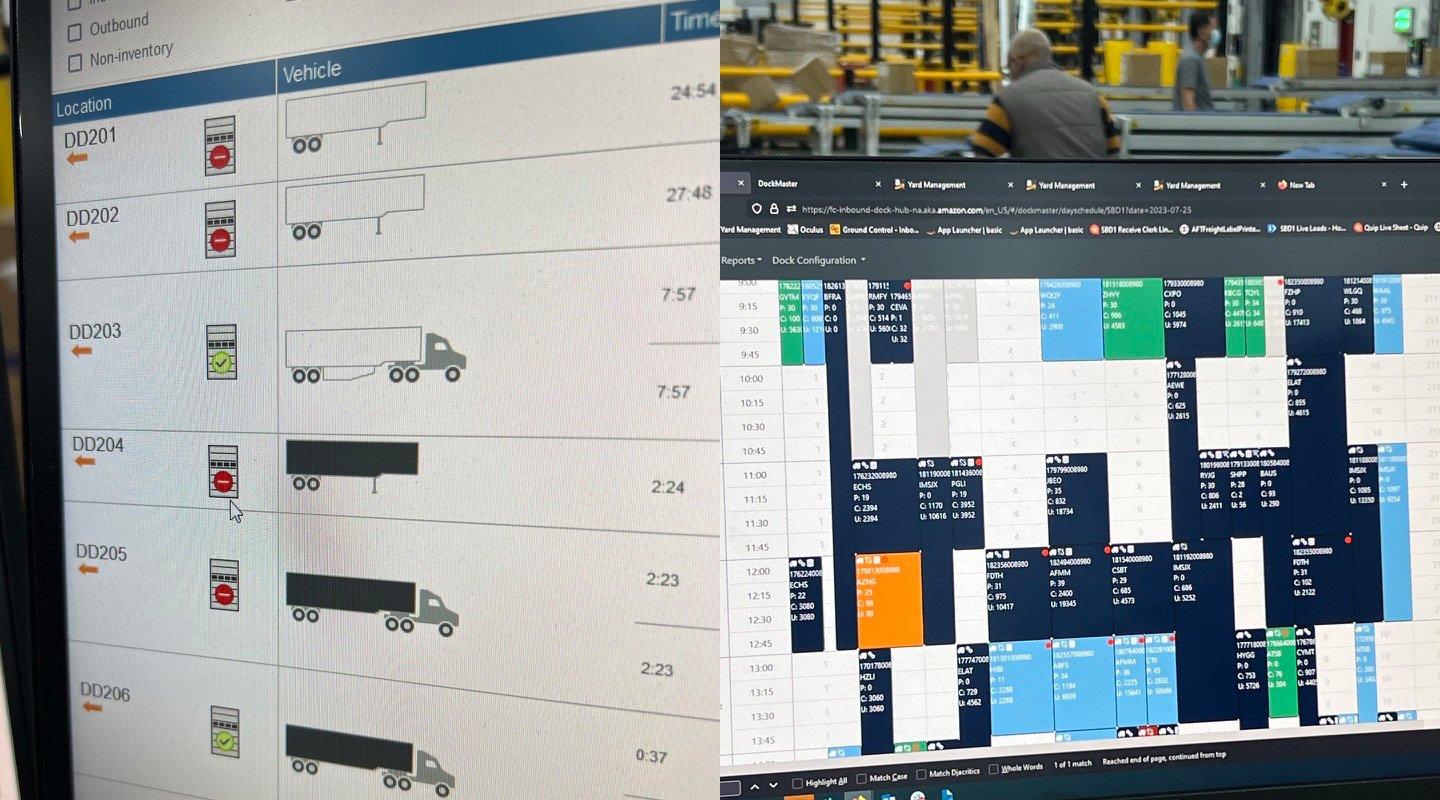
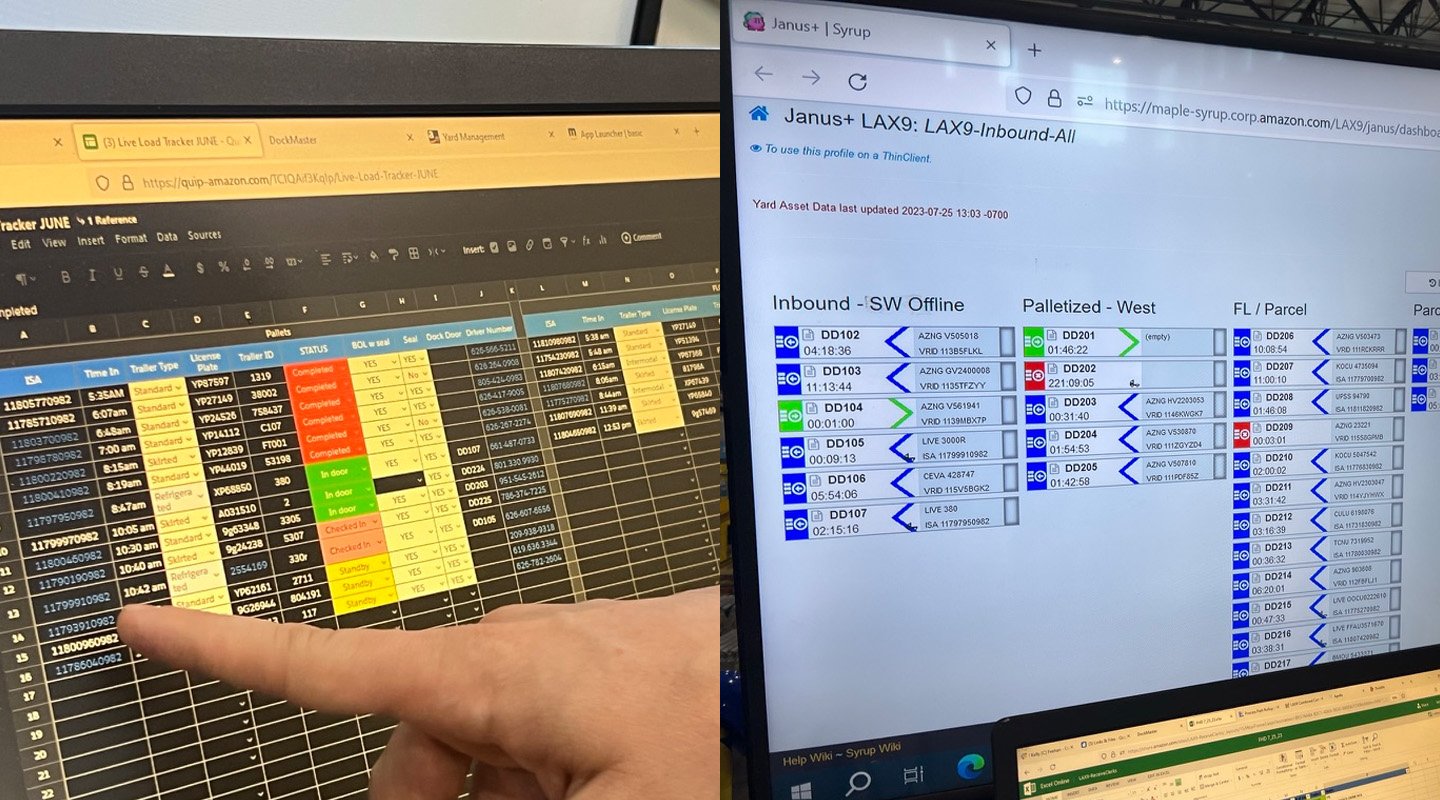
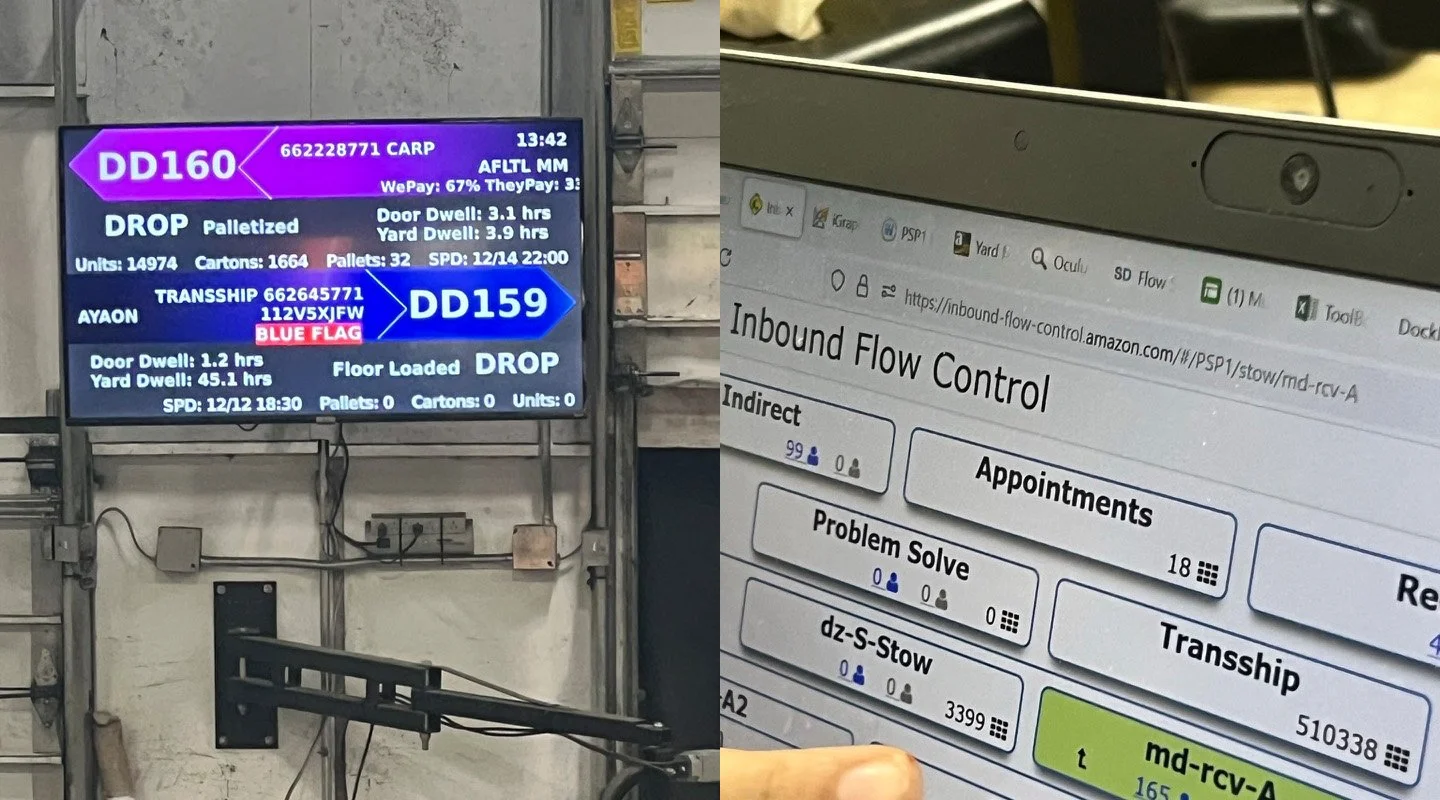
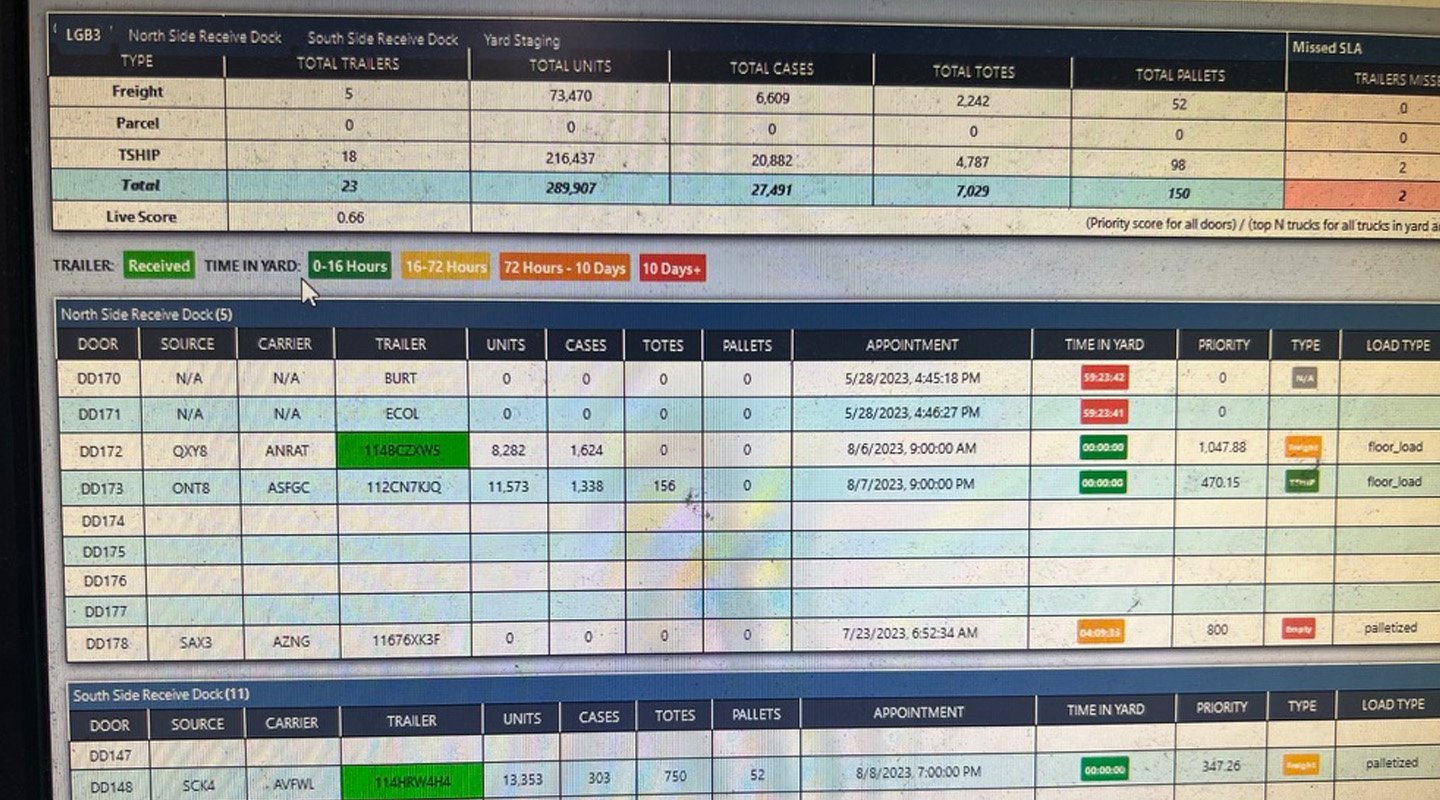
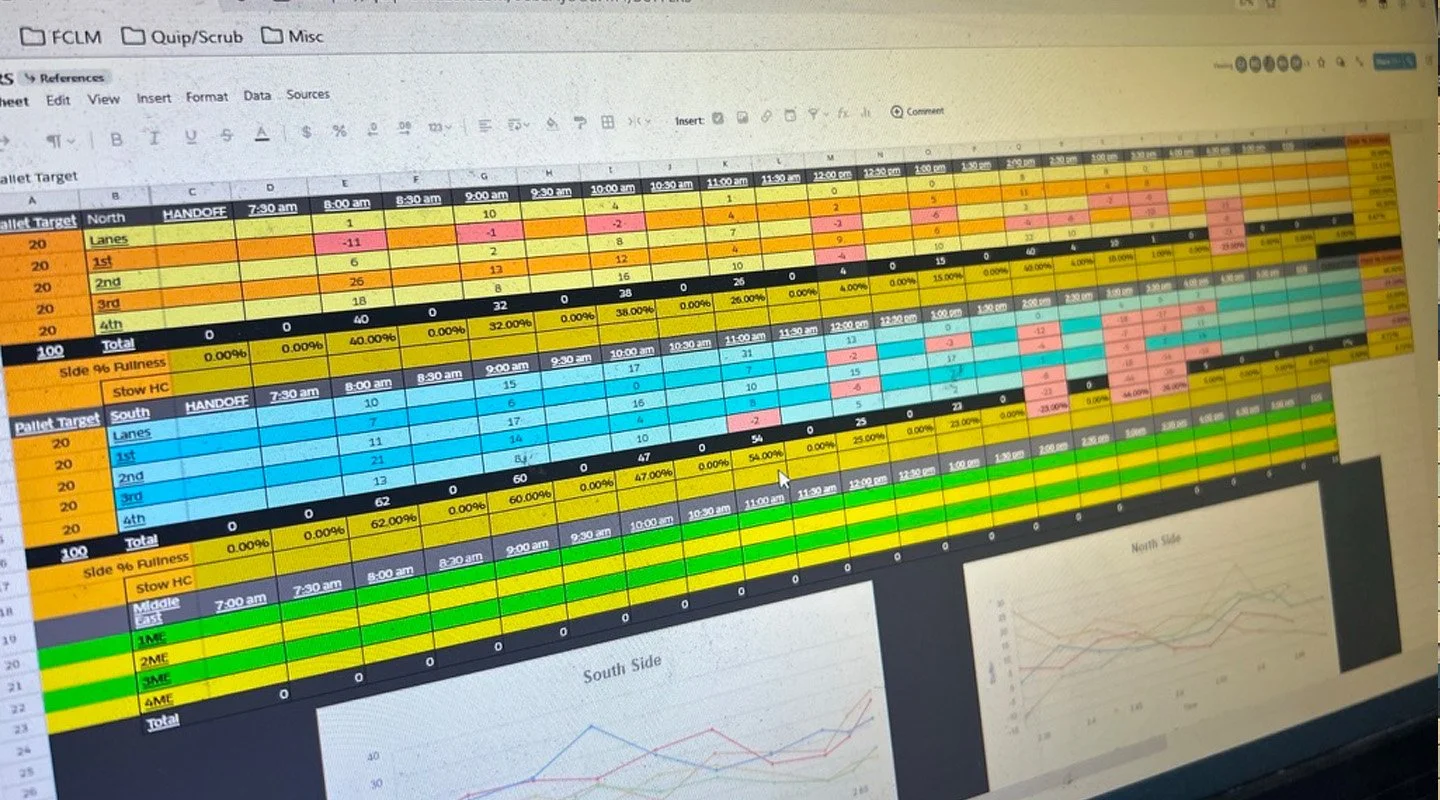
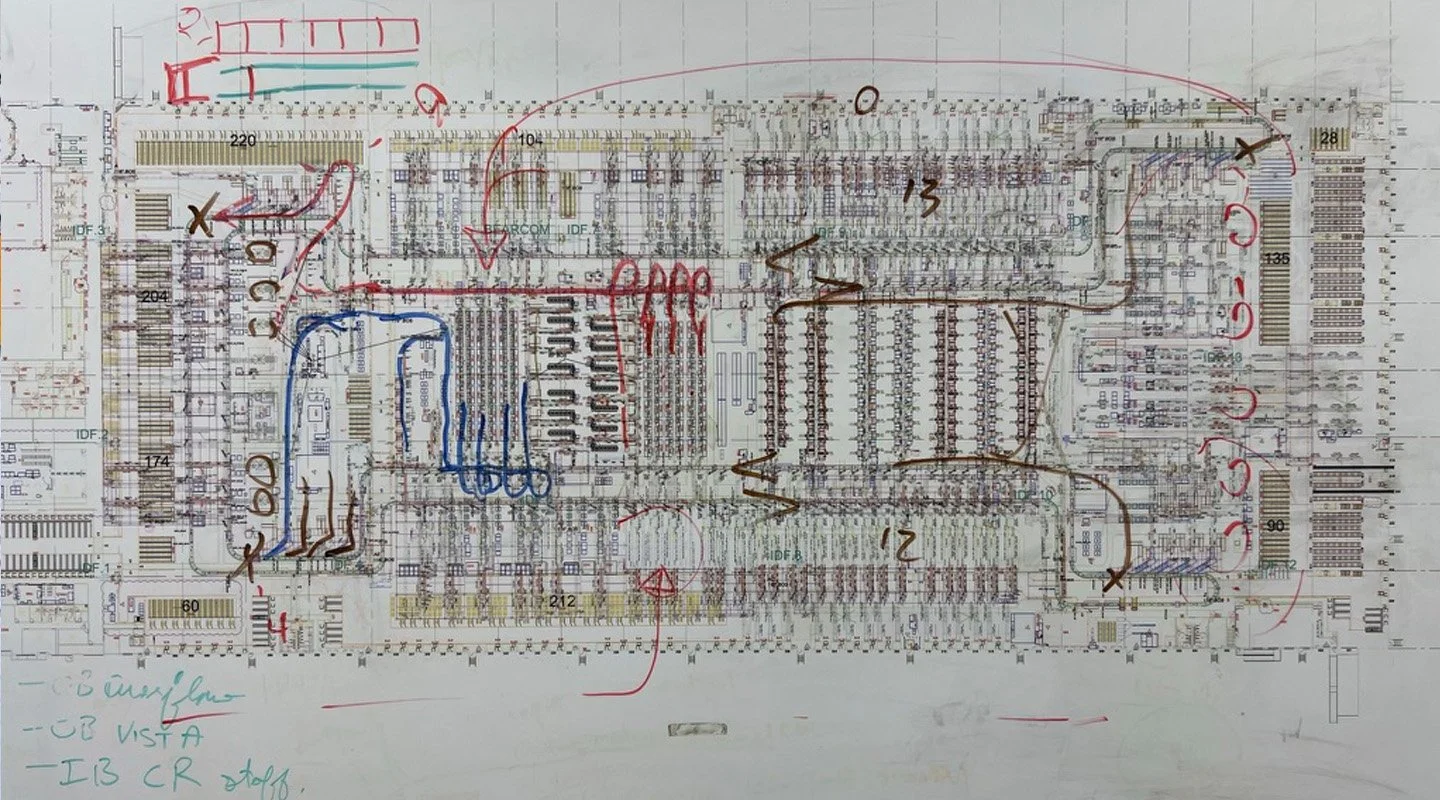
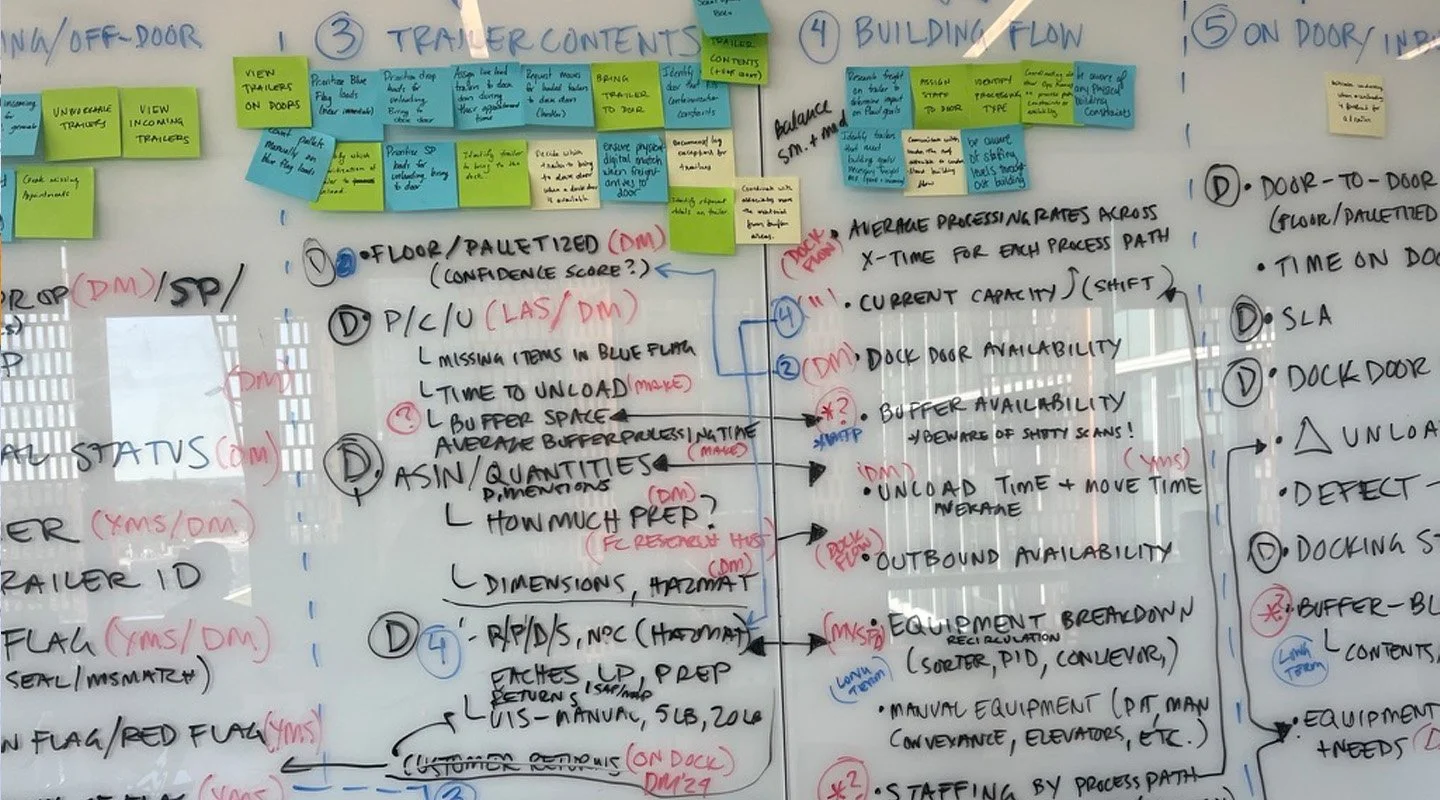
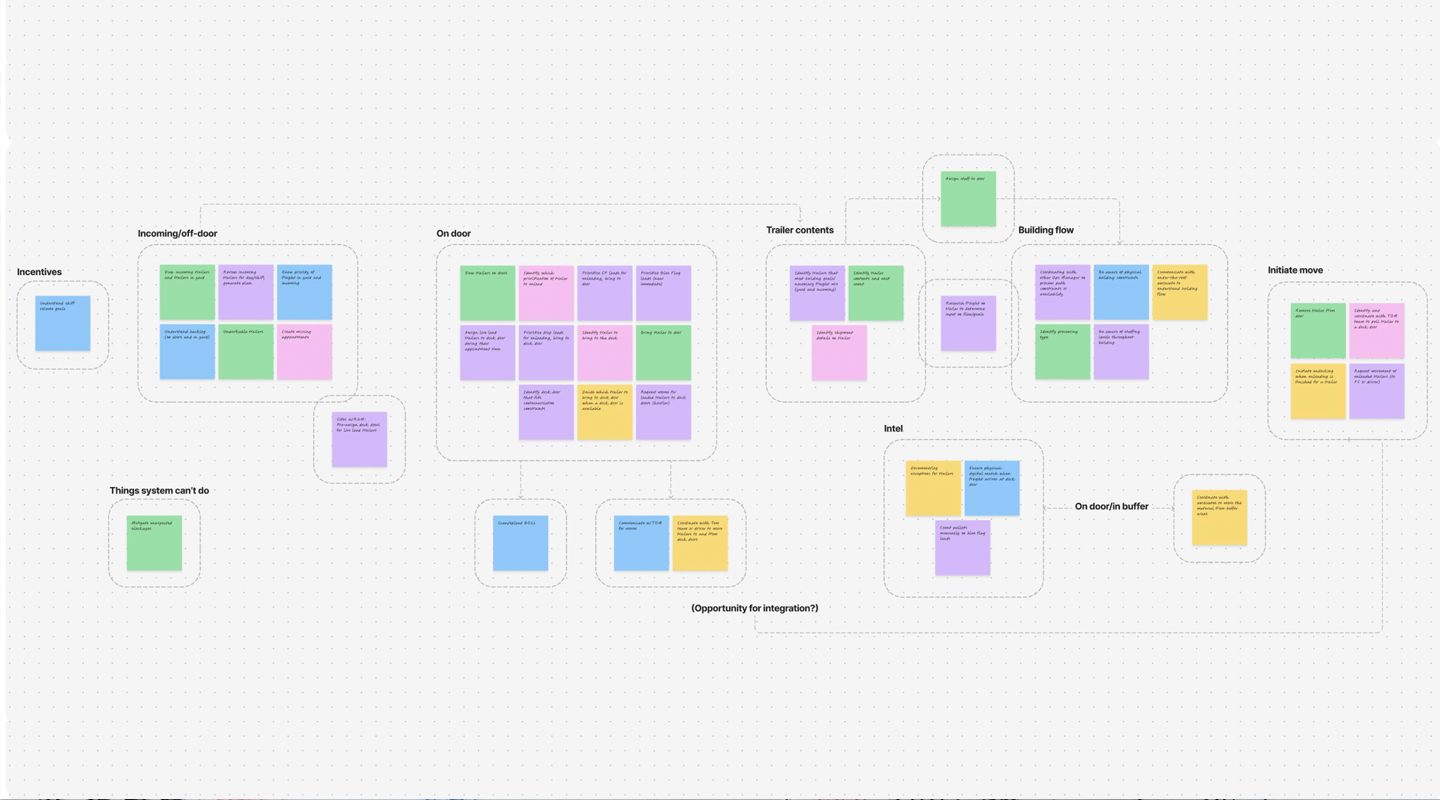
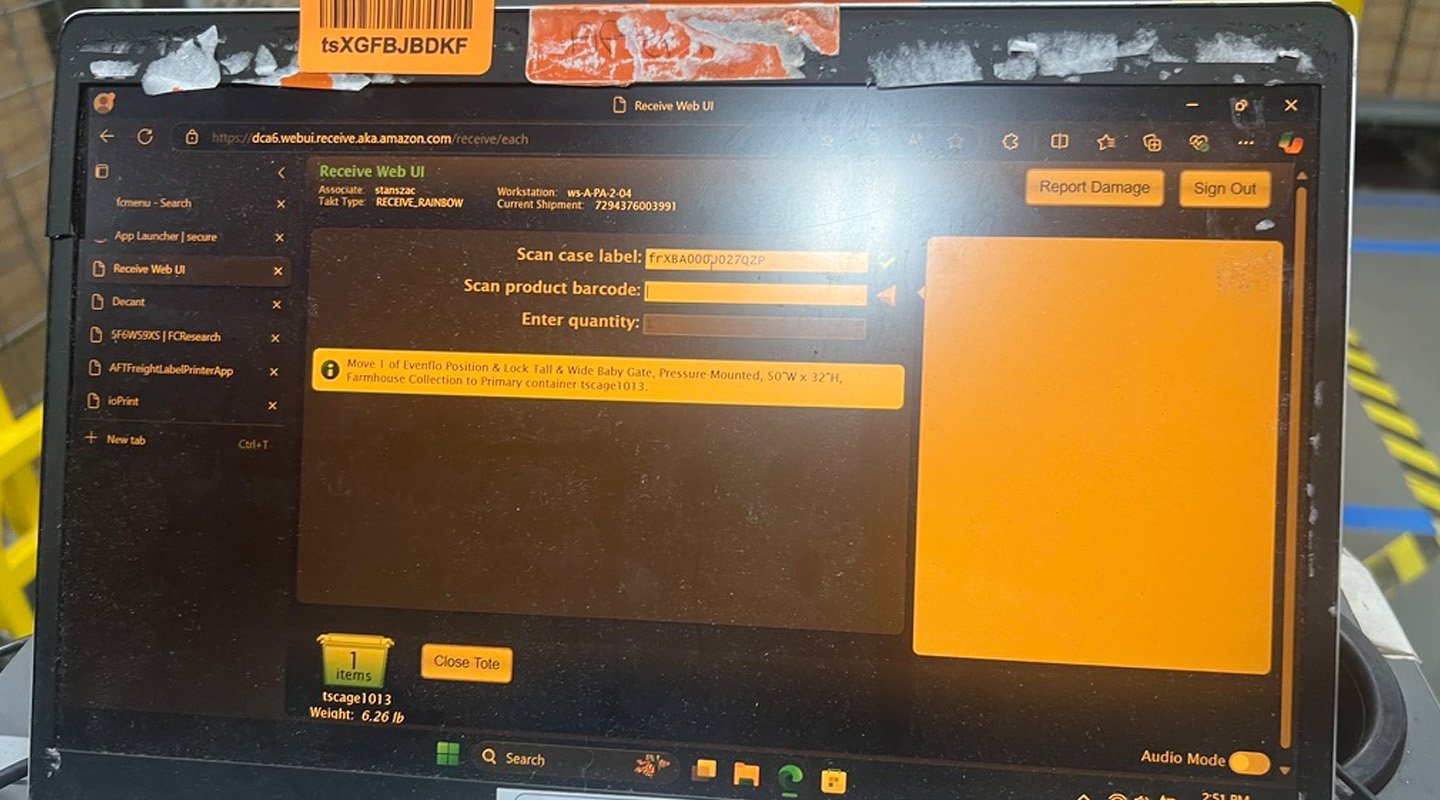
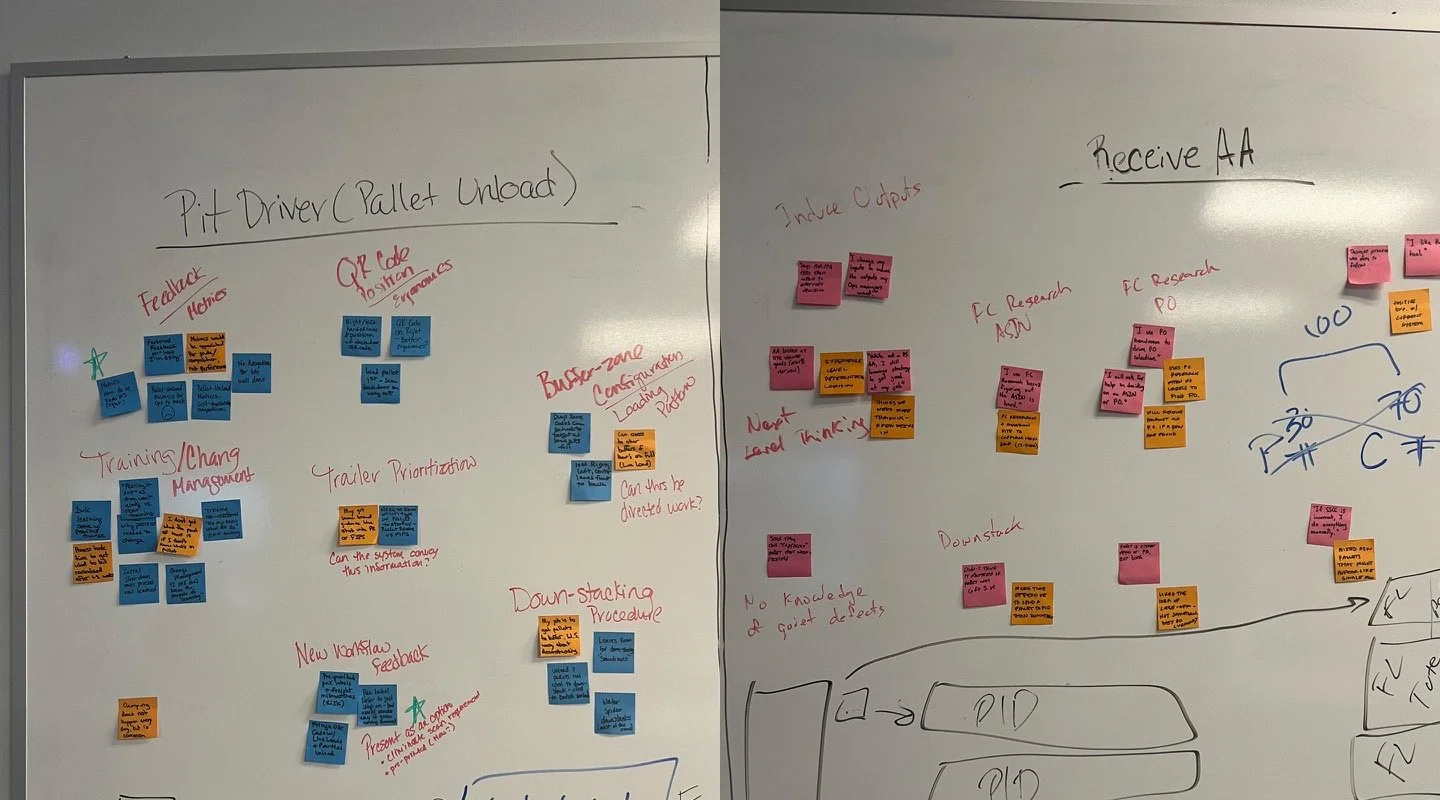
Warehouse associates must assess which trailers are at dock doors, in the yard, and en route to the FC, and prioritize them for unloading in a way that addresses inventory needs, while also ensuring optimal flow of warehouse operations. To do this required them to use upwards of eight different legacy tools—switching between several browser tabs and often having to copy and paste data from one tool to another, making this process overly complicated and inefficient. I conducted extensive on-site research across the fulfillment network to observe existing processes and tools in use (photos below), identify pain points, and determine which information associates needed to make informed decisions. I then synthesized my research findings into recommendations and facilitated a 3-day workshop with Product and Engineering partners to align on requirements.
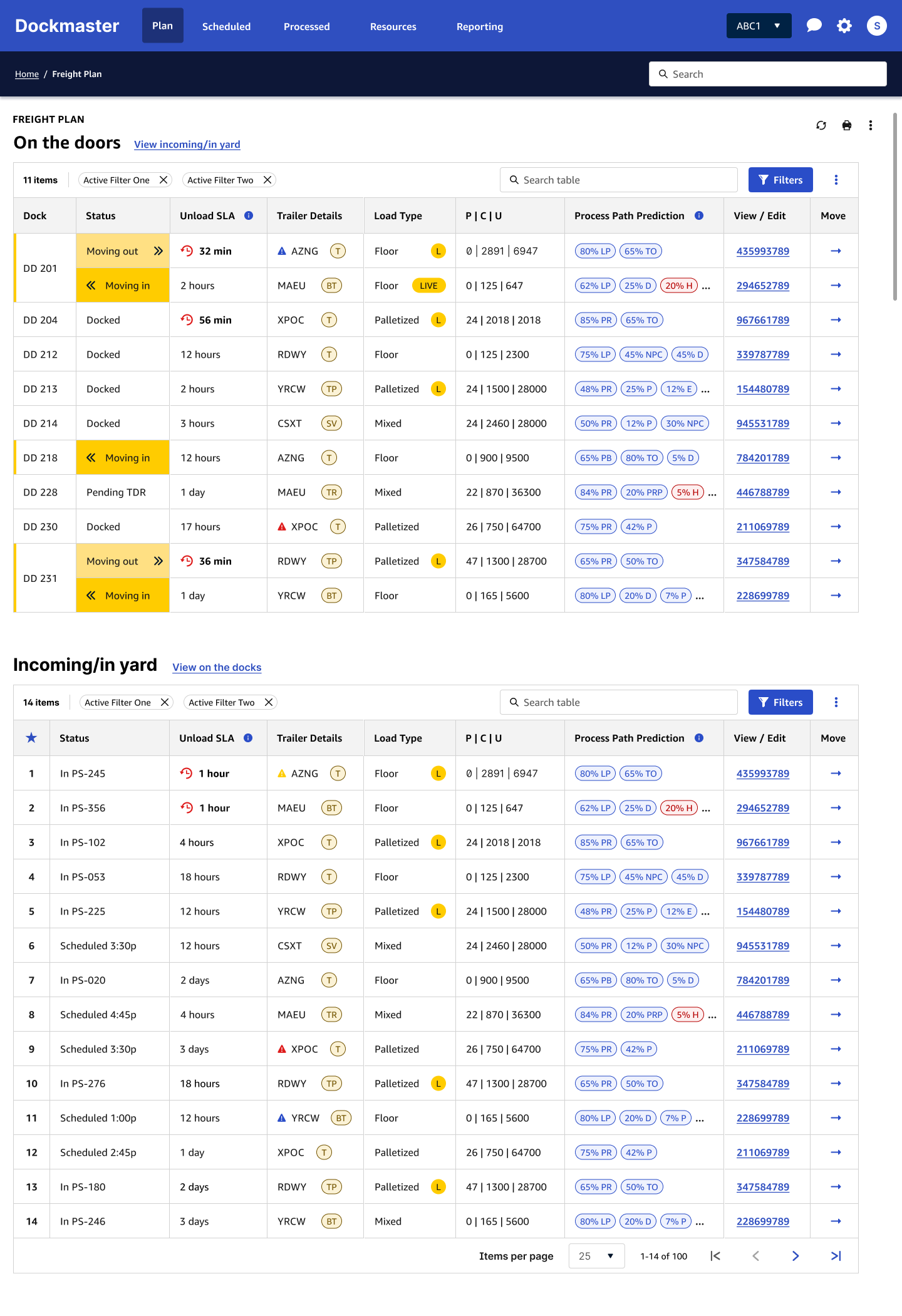
The design solution (below) presented key information in a single screen, with secondary details available in a single click, giving inbound dock associates all the data they need to make their decisions at a glance. This reduced both time-on-task and cognitive load, and was well received by associates who reported that “this is 9000% more useful” than the previous tools, and “it’s so much easier… it takes half the thought out of it.” This project was one of the first to adhere to a new design system that was being developed at the time by Operations’ Common Experience Design team, so I was able to work in partnership with the team to enhance the system to support tables that contain complex data. For operations associates who were accustomed to using several tools at once (most of which were legacy tools that were not designed with users in mind), this project marked a shift toward true user advocacy and efficiency through design.
Inbound Receive Process - Optimization and Design
All items sold by Amazon must first be received into their inventory upon delivery from vendors and suppliers. The Receive workflow was overly complex, which resulted in unreliable data and lower processing rates of products into and through the fulfillment network, and ultimately to customers. I worked with Product and Operations partners in a tiger-team approach to define, design, and evaluate the viability of a new Receive process. I conducted stakeholder workshops and on-site research, even working for a week as a Receive associate myself to better understand the tasks and demands of the role. The result was a streamlined, single-tool workflow that optimized efficiency, minimized manual inputs, and increased flexibility for site operations. The reduction of inventory defects and increase of automatic receive rates from 65% to 90% are projected to yield $2.2B in savings year over year. This was one of Amazon’s top three priorities for 2025.
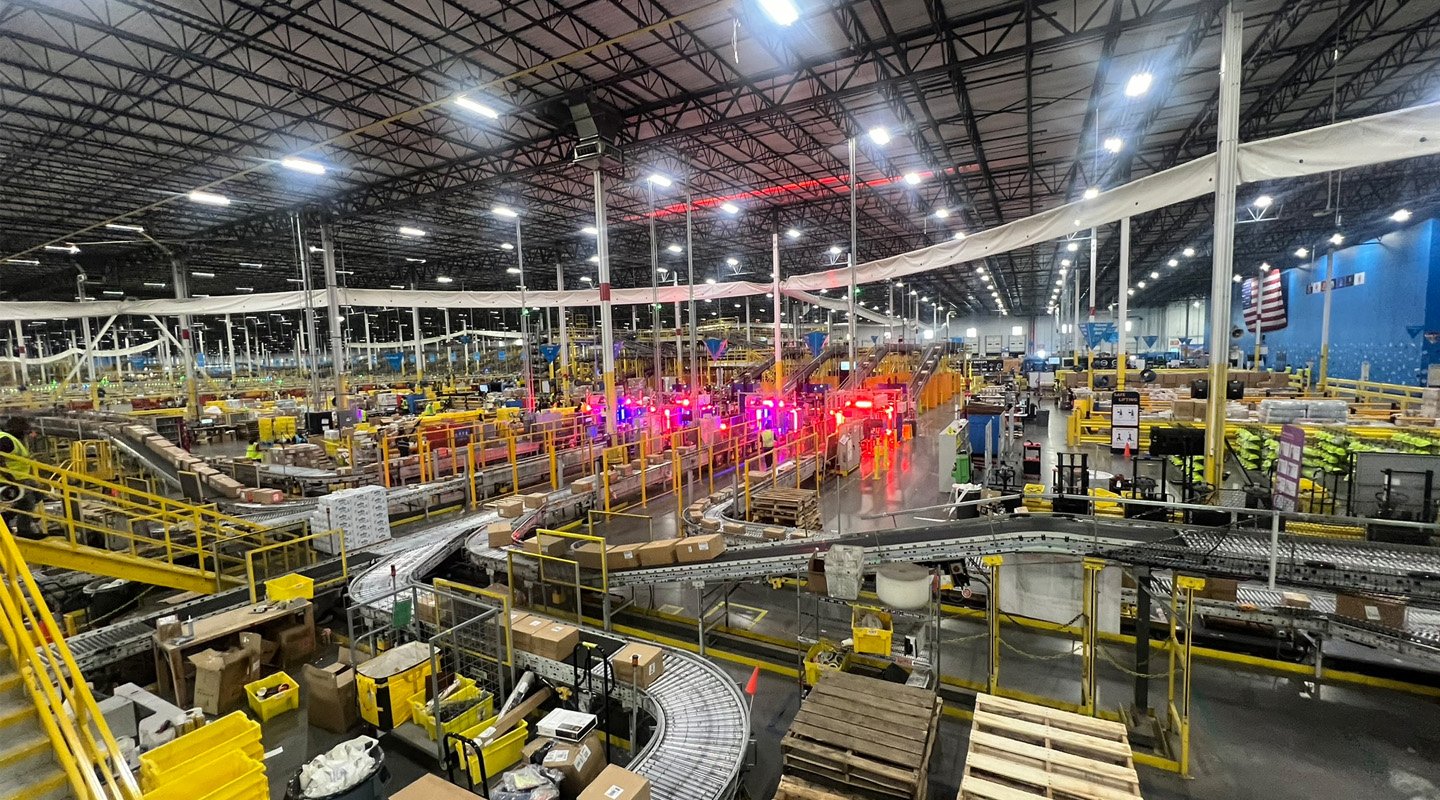
Research and design for this project extended beyond application and screen design to process design and environmental improvements. (See photos below.) Receive processes had previously been completed on laptops with attached scanners, which associates pushed on carts between rows of unloaded pallets. I designed the new process for handheld scanner screens to enable associates to move more freely around pallets to locate and scan pallet labels. The previous system relied on scans of hanging QR codes to maintain pallet provenance, which resulted in location errors. I worked with the data team to ensure the new process could be streamlined on the back end to support the elimination of the QR code tags throughout the fulfillment network.
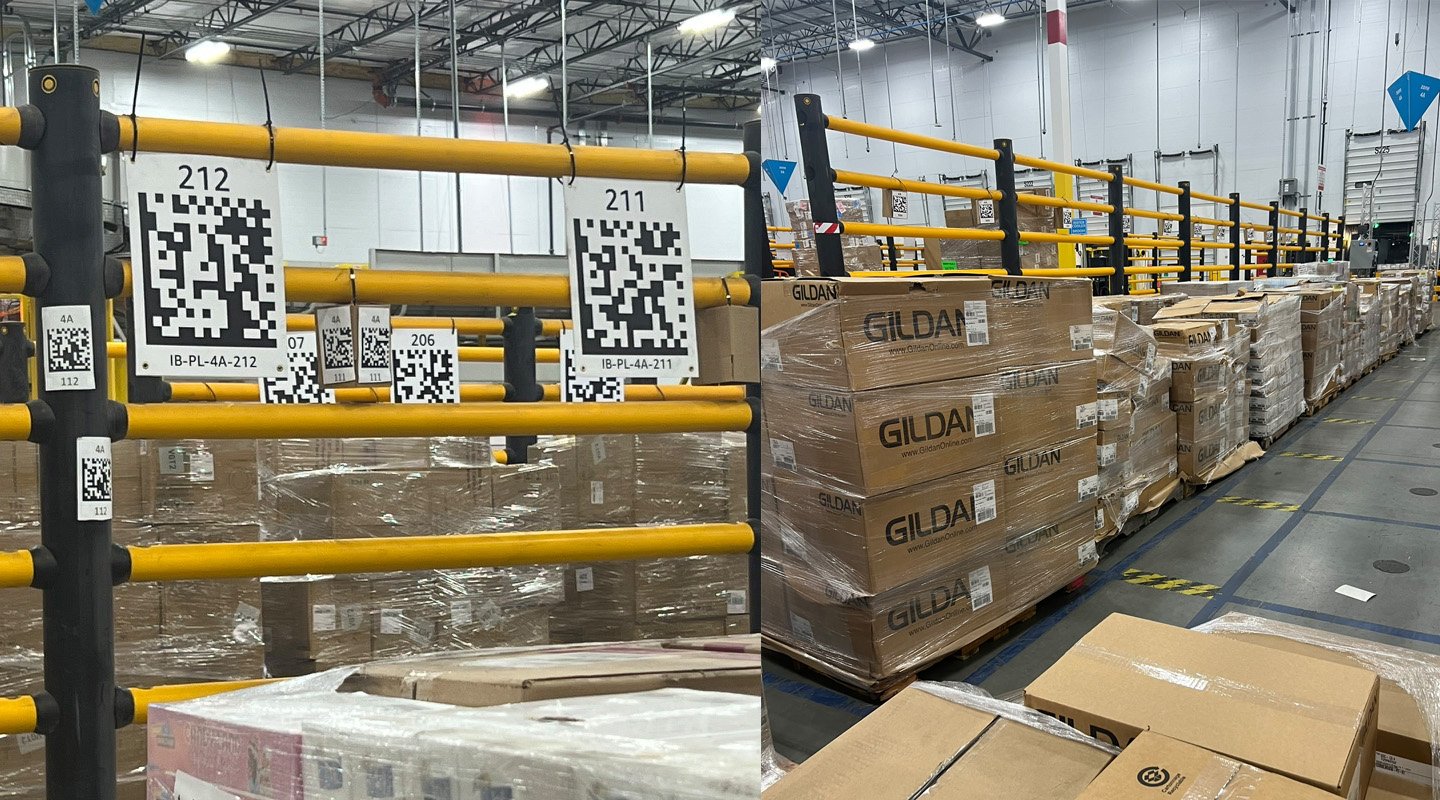
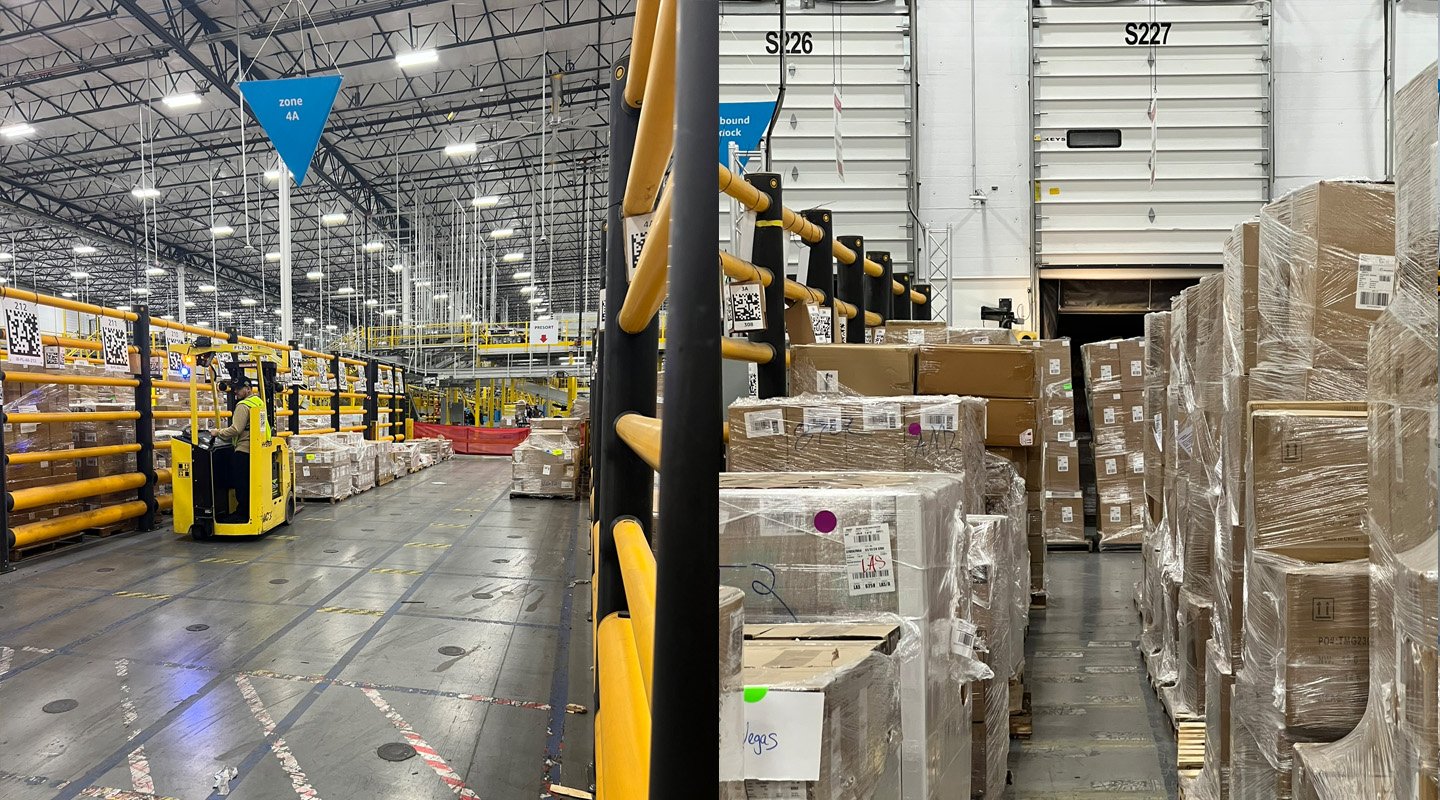
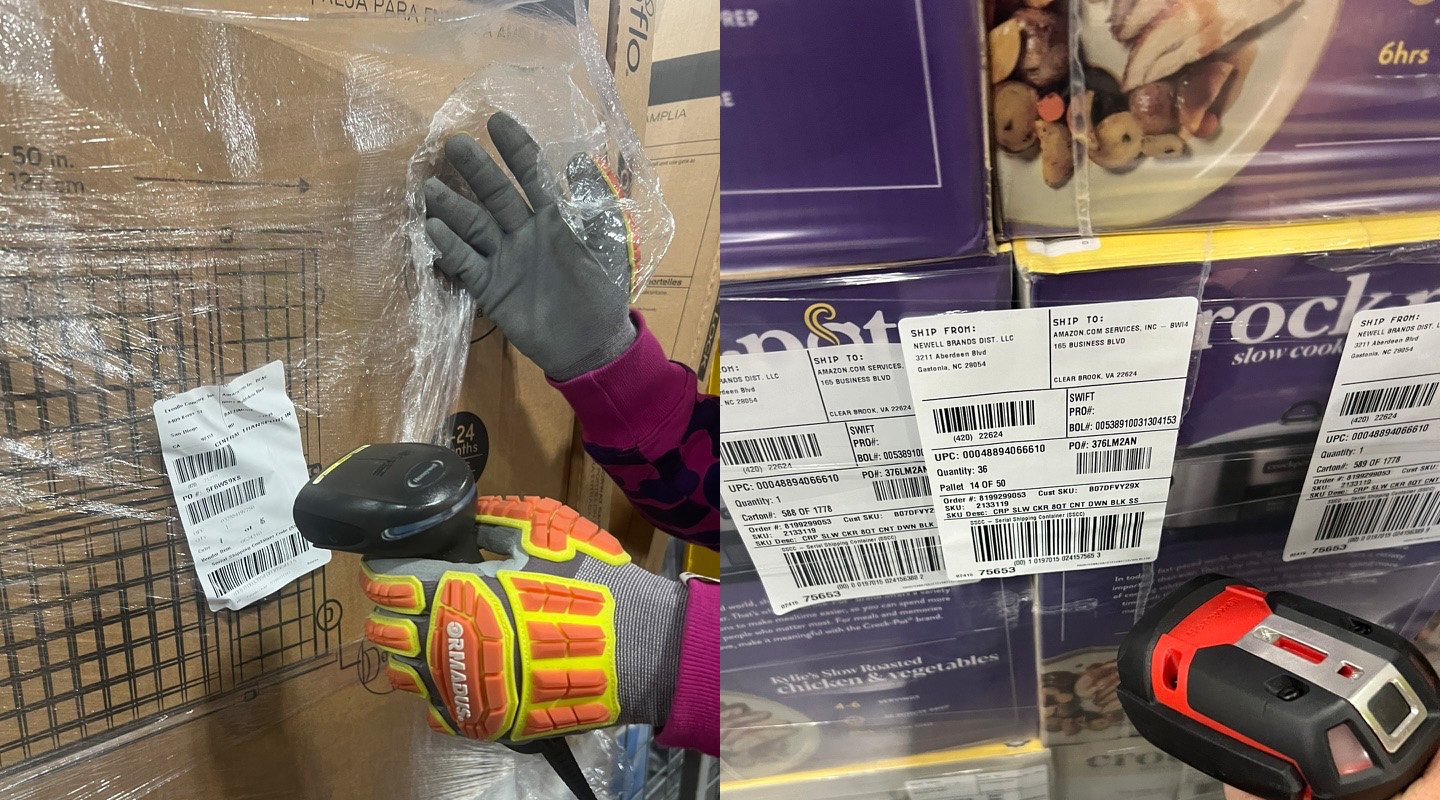
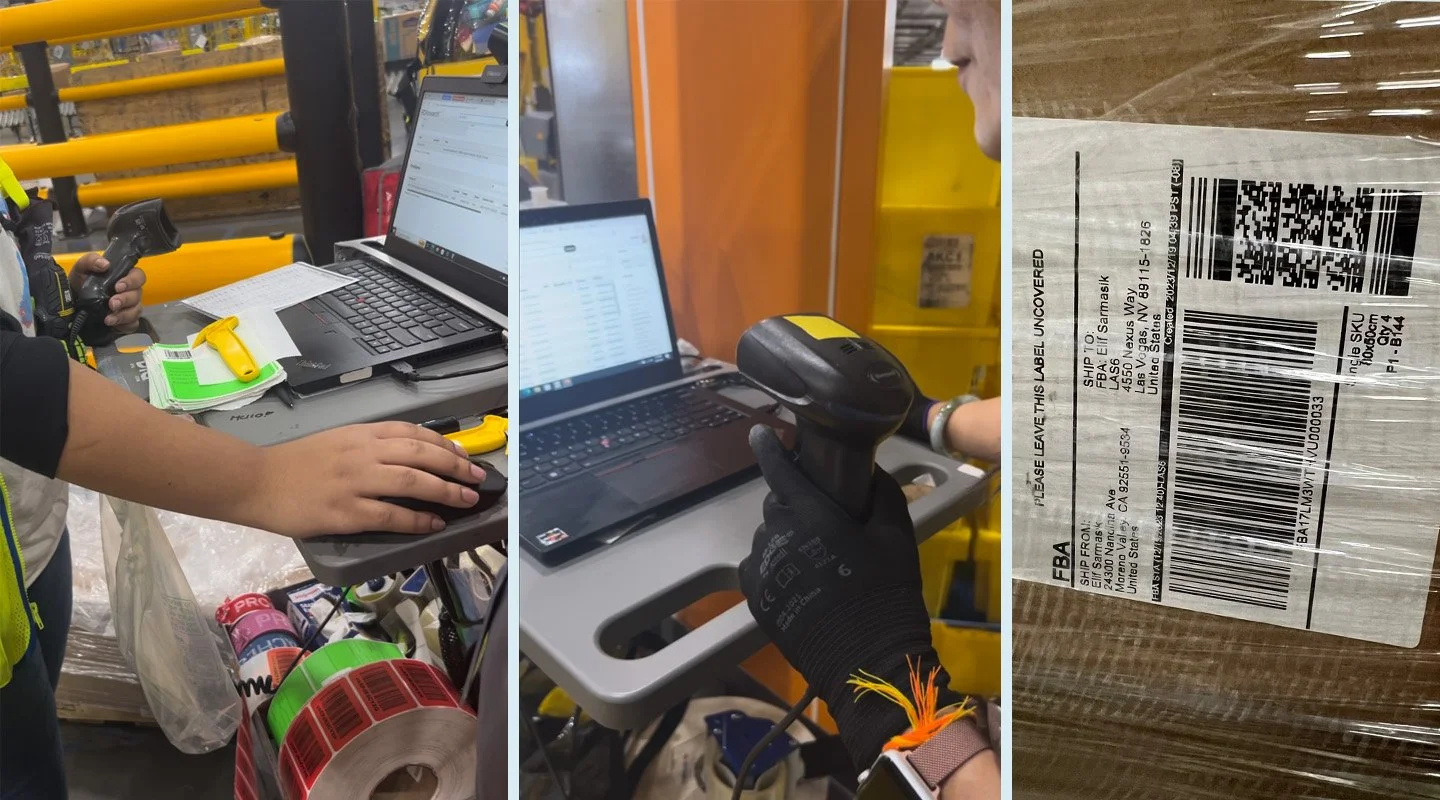
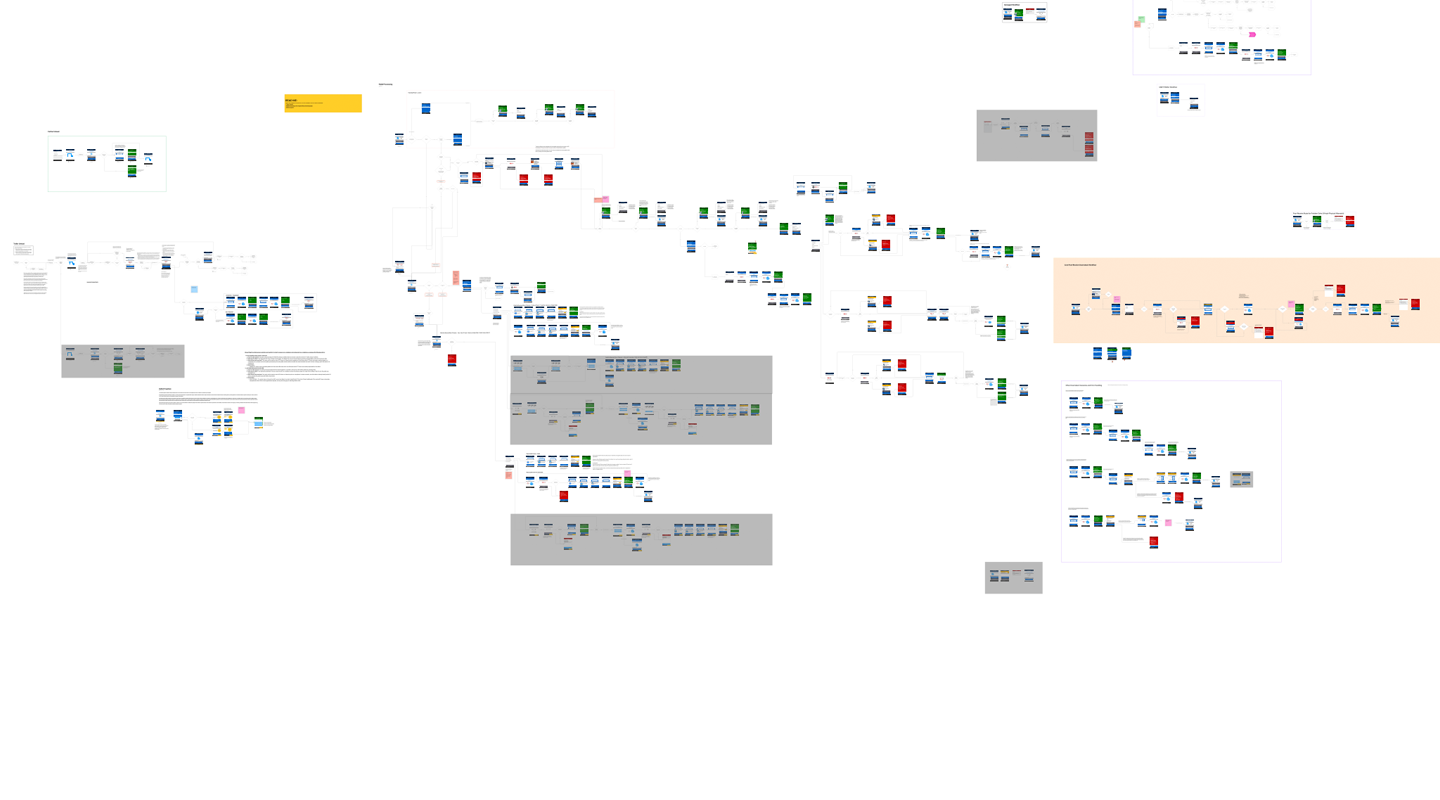
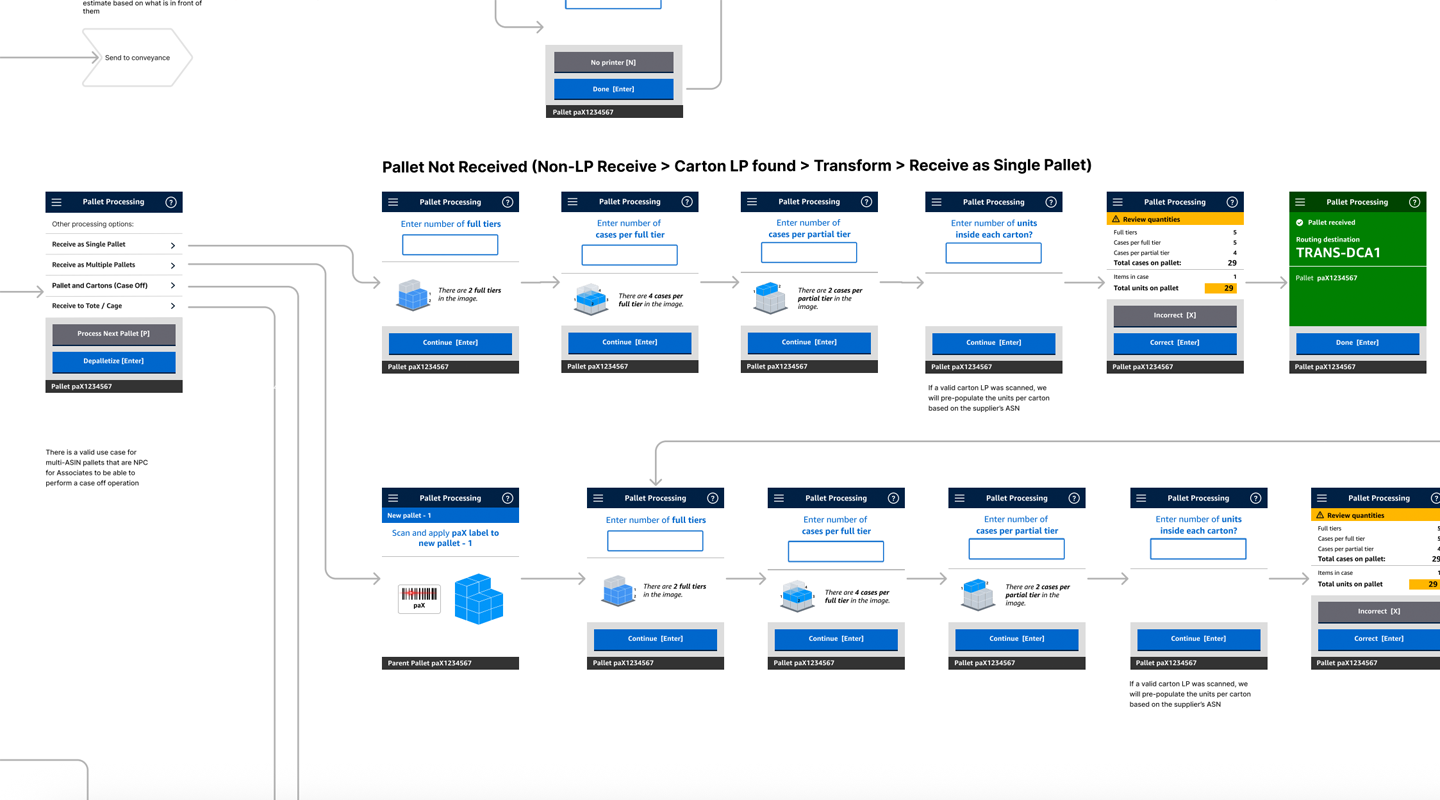
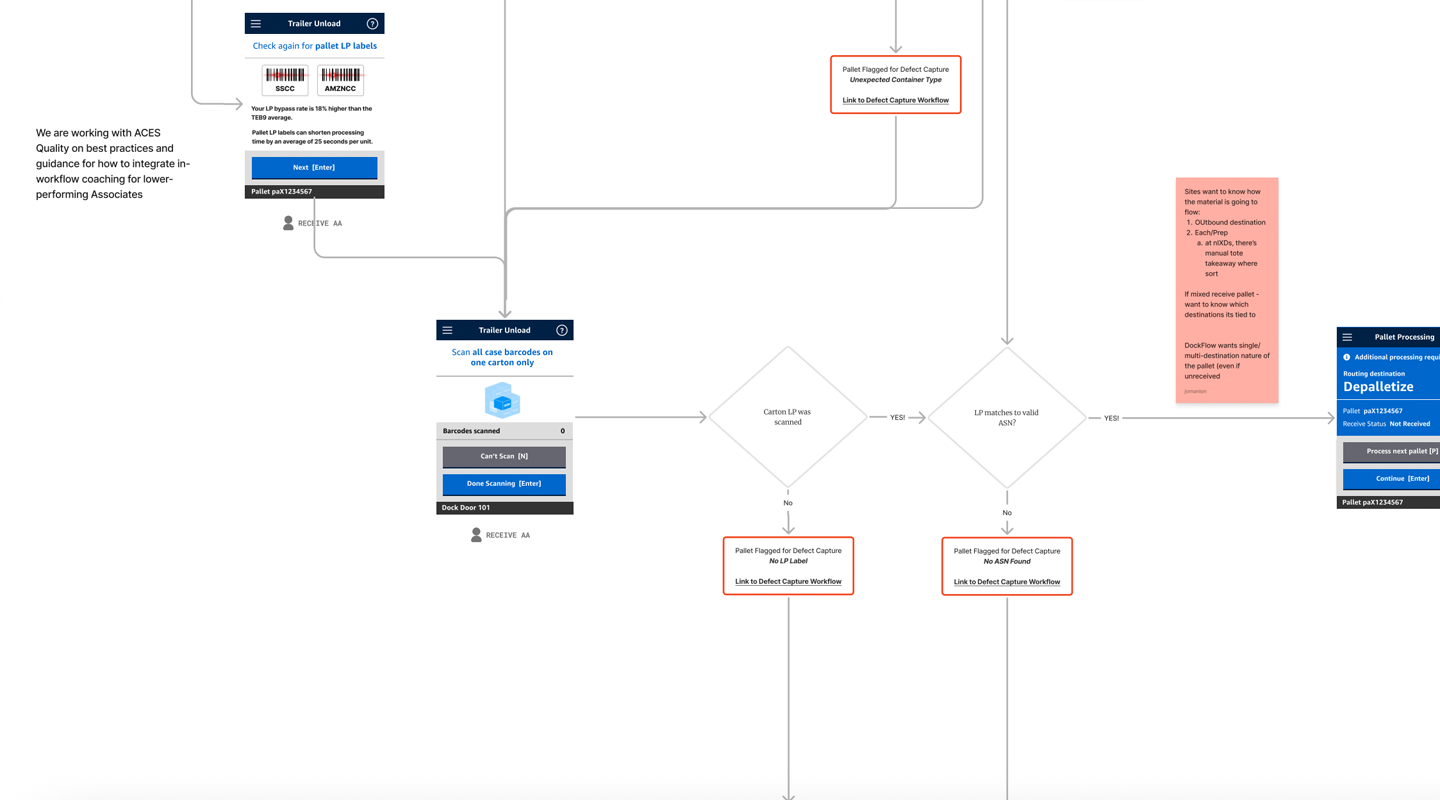
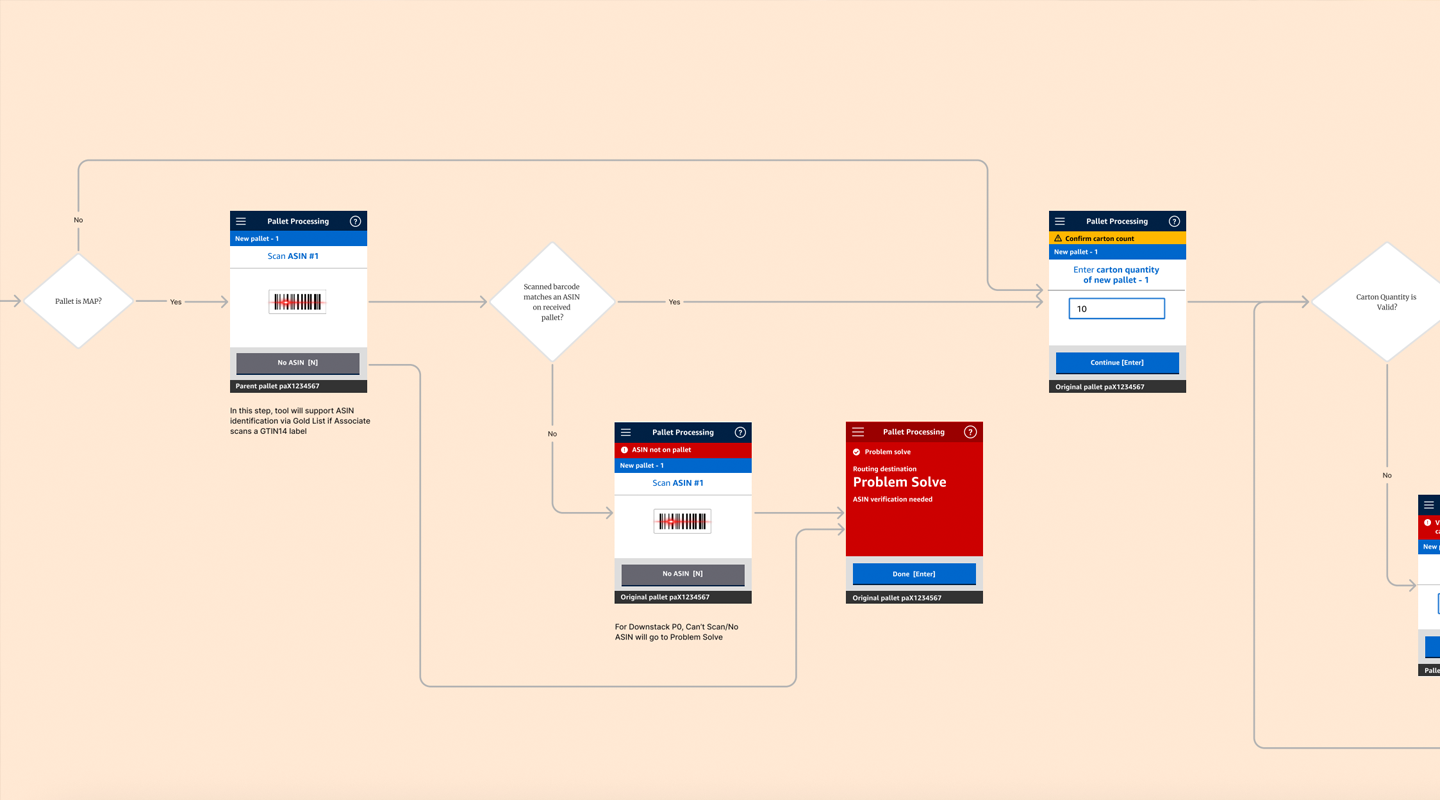
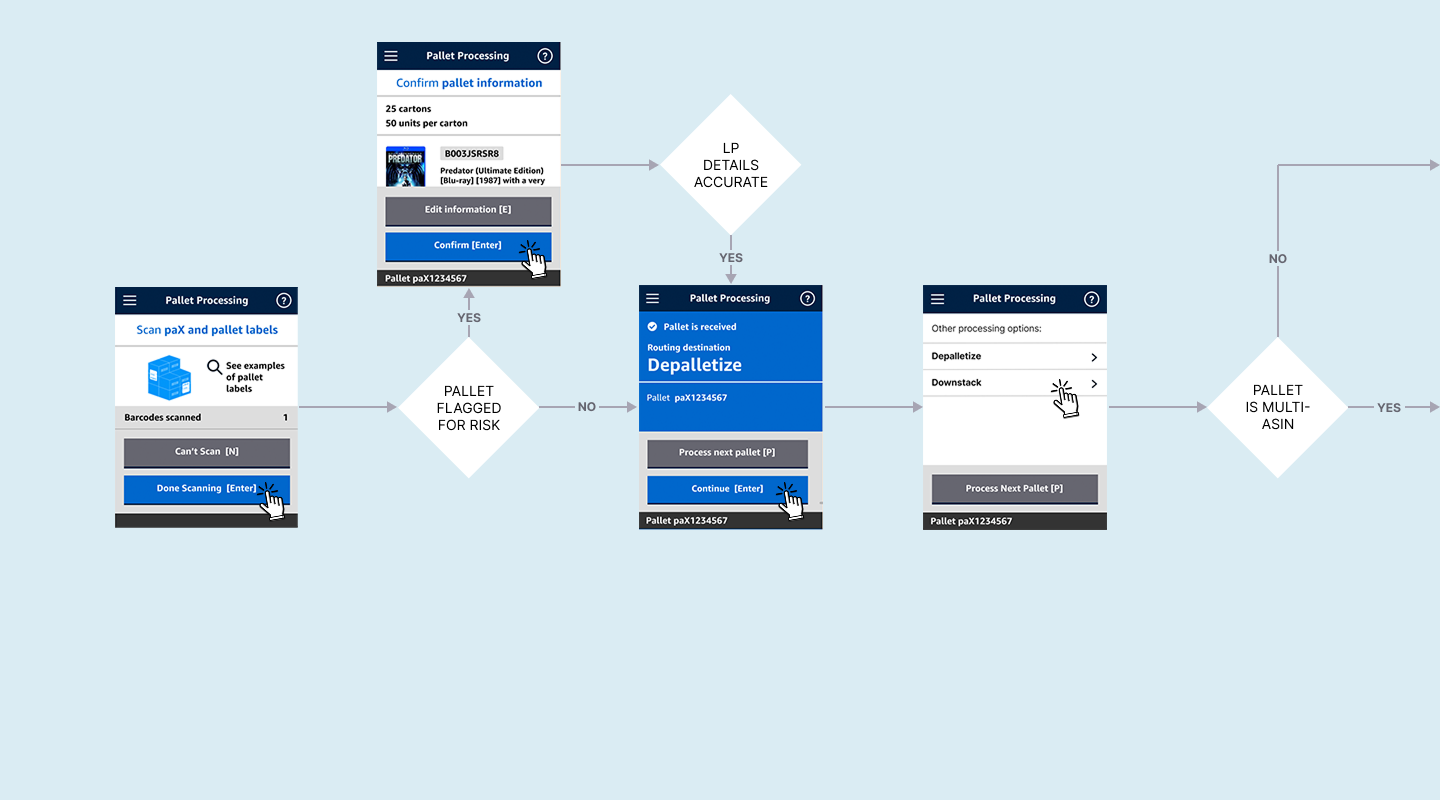
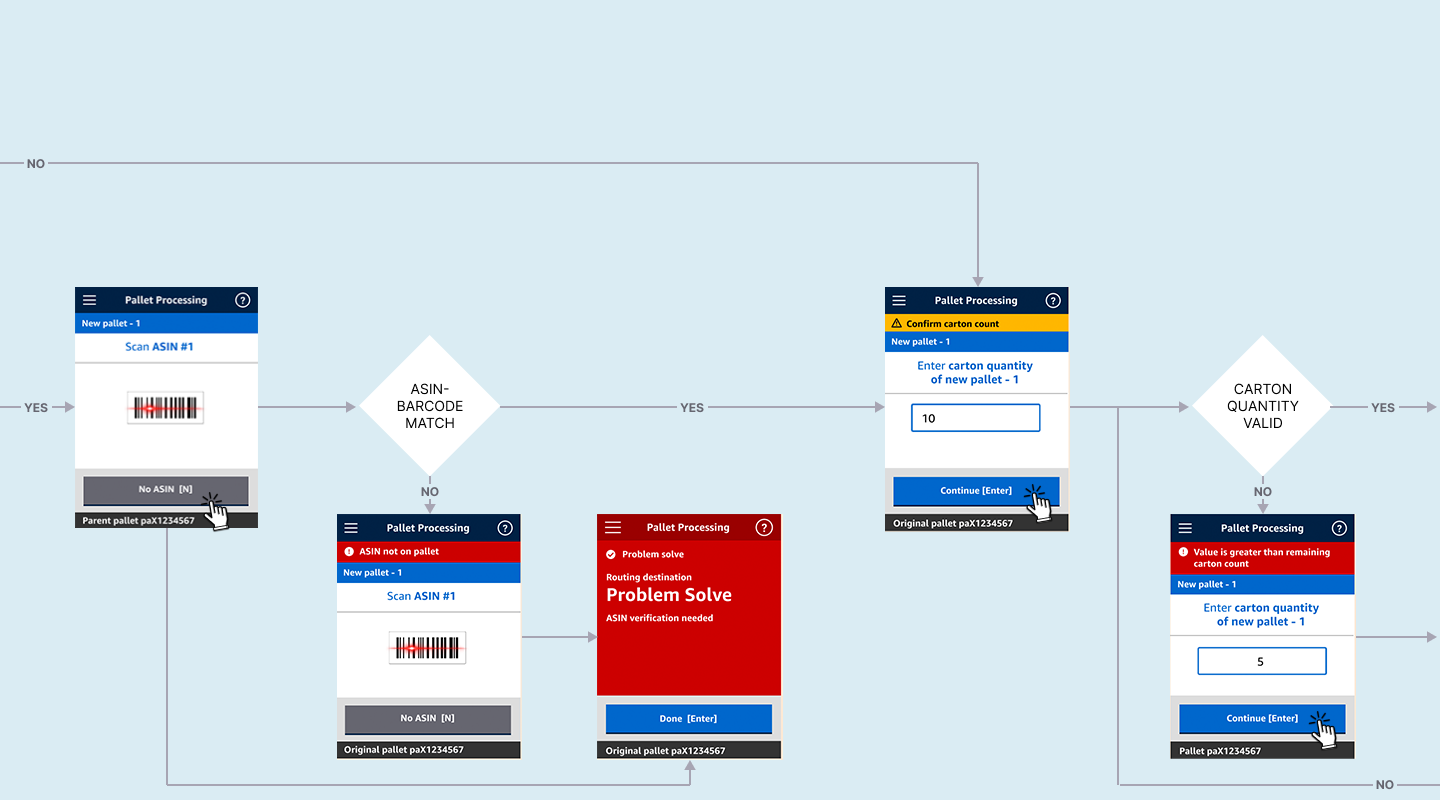
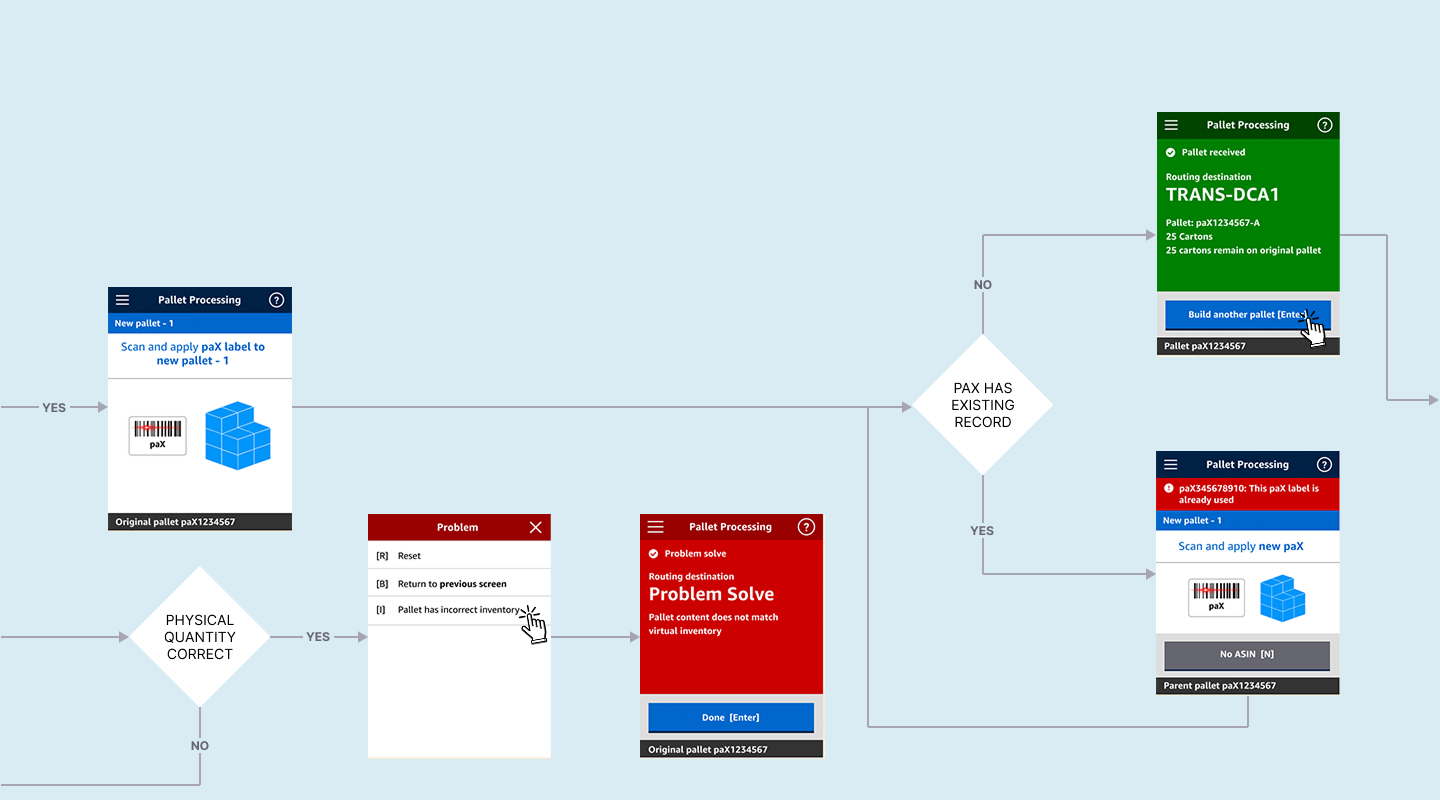
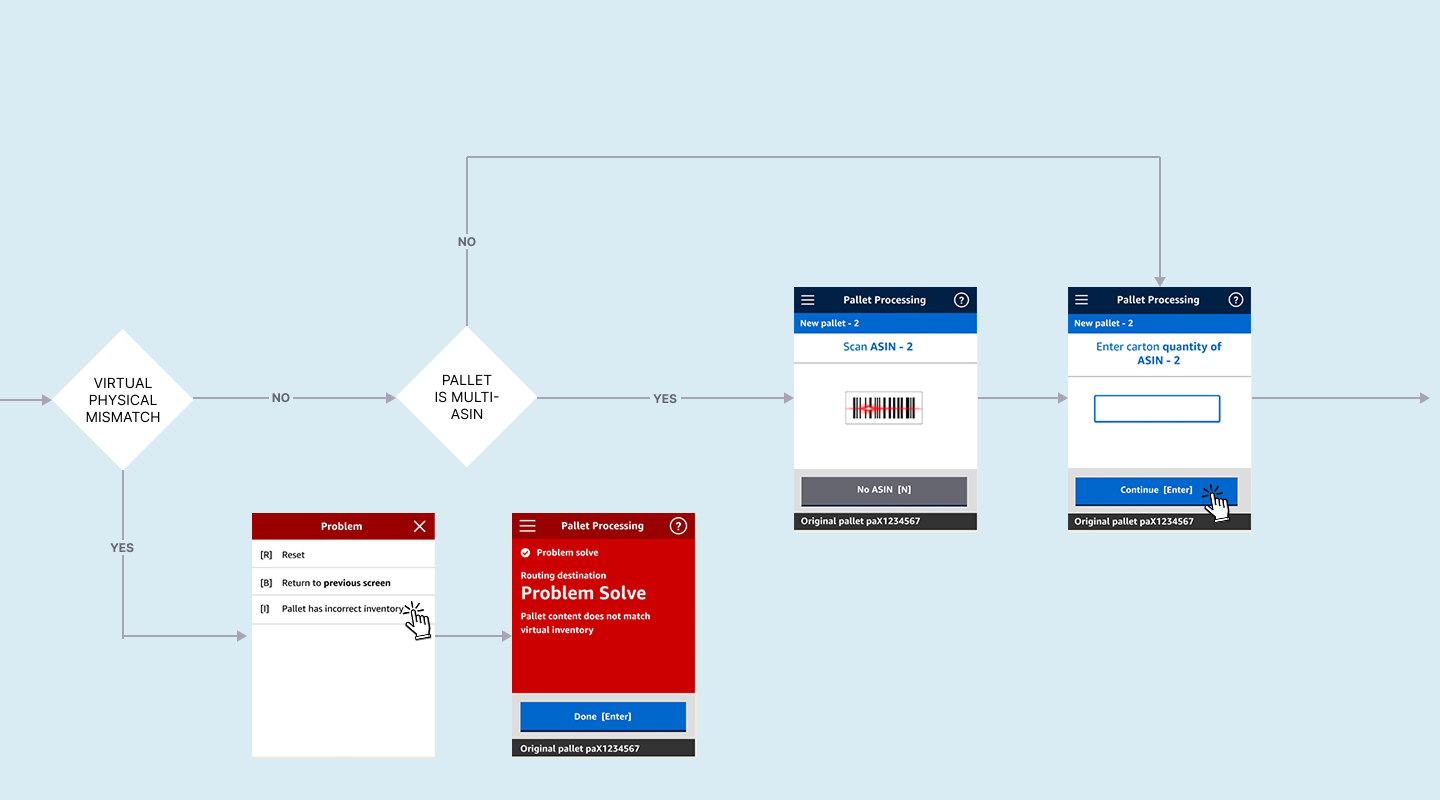
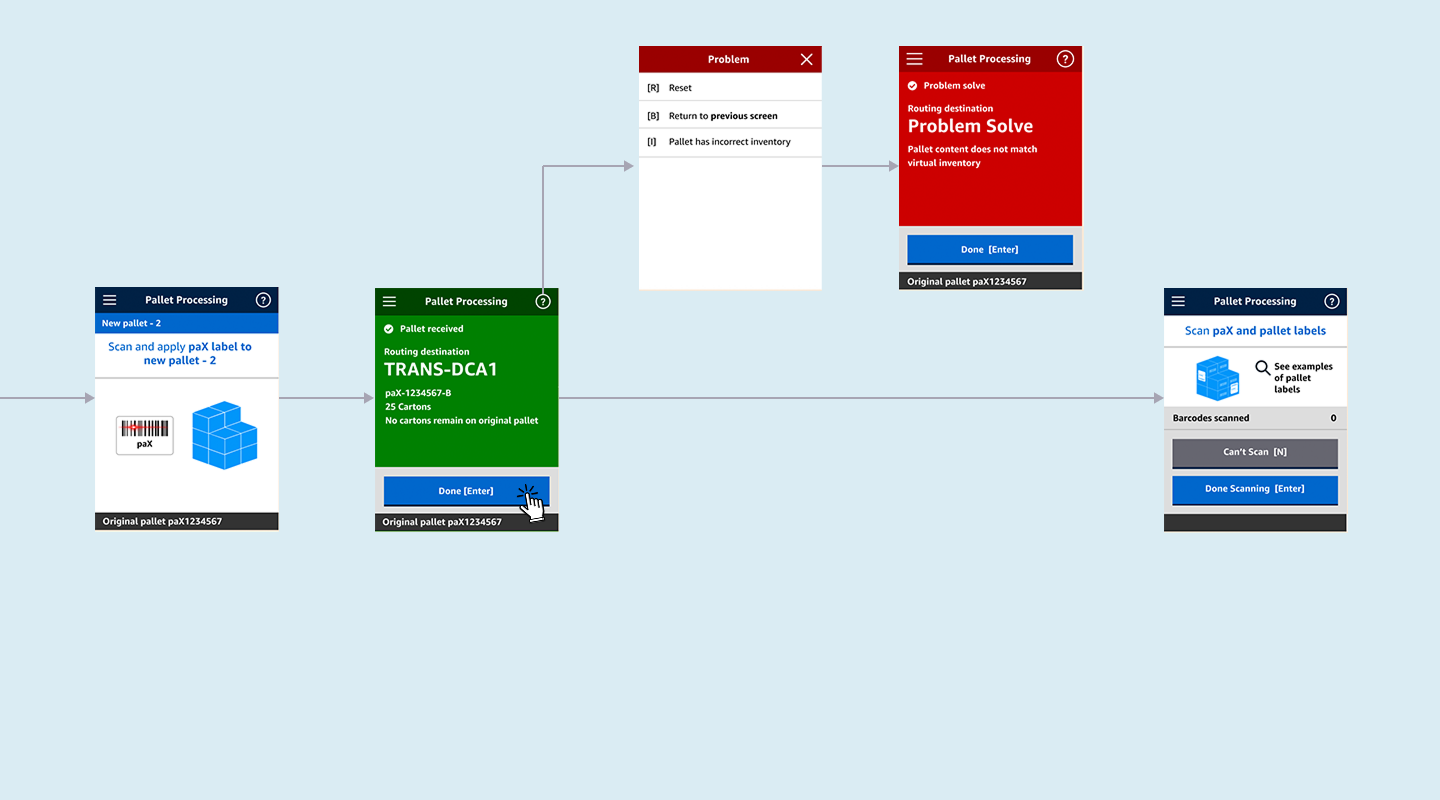
Working with our tiger team, I maintained a visual representation of all Receive processes, edge cases, and error handling, which underwent continuous iteration. Images below show the full system map along with examples of parts of the larger system. I worked with this map to create final workflows which I provided to the engineering teams. An example of one of these flows is shown below—the five images on light blue background represent the end-to-end Receive flow for a single pallet that needs to be down-stacked into two pallets.
Handheld prototype:
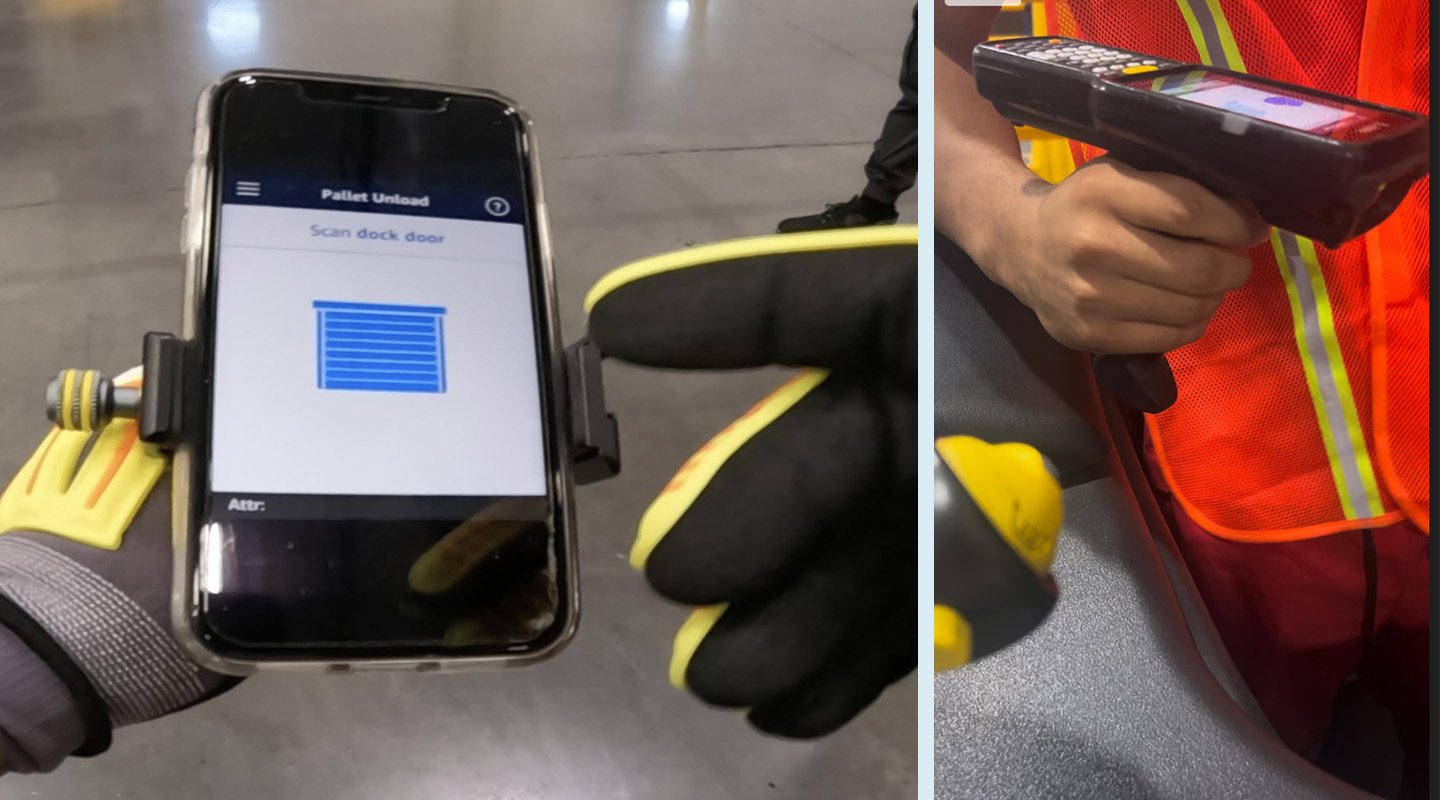
For user testing, we created a mock-handheld scanner by mounting a mobile phone with a Figma prototype to a handheld gimbal with a trigger handle to emulate the handheld scanner experience, and asked associates to go through all the physical motions of the process as they engaged with the prototype (shown below at left, with an actual Zebra hand scanner at right.)